Page Object Model 2026: Best Practices for Modern Test Automation
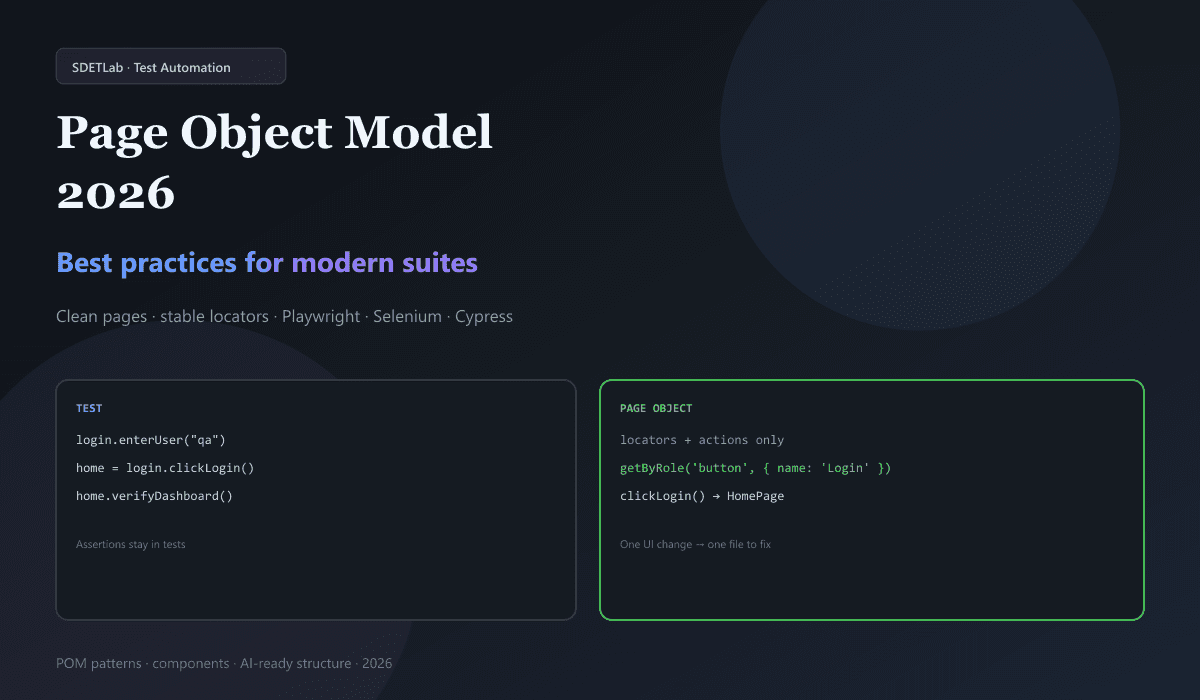
Most teams do not fail because they picked the wrong browser tool. They fail because locators and clicks are copied everywhere. When a button id changes, dozens of tests break and nobody knows which file to fix first.
The Page Object Model (POM) fixes that pattern. Each screen (or big UI chunk) gets a class that holds selectors and actions. Tests call methods like clickLogin() instead of raw driver.findElement(...). When the UI changes, you update one page class, not every test.
In 2026, POM still fits Selenium, Playwright, Cypress, and Appium. AI tools can help write page objects—but they work best when your code already follows a clear structure. This guide walks through what POM is, why it still matters, rules that keep pages healthy, patterns for large apps, and how to grow or migrate a framework without a big-bang rewrite.
For framework choice and stability trade-offs, see Playwright vs Selenium vs Cypress: 2026 Comparison. For flaky tests and waits, see Fix Flaky Tests: 2026 Masterclass and Playwright flaky test debugging in VS Code. For CI that runs those tests, see GitHub Actions + Playwright CI/CD pipeline.
What is the Page Object Model?
POM is a design pattern for UI test automation. For each page (or major component) in your app, you create a page class with:
- Locators — how to find elements (id, role, label, etc.)
- Methods — what users do on that page (type, click, select)
Tests should not touch the DOM directly. They call page methods. Page methods touch the DOM.
Simple Selenium example (Java)
public class LoginPage {
    @FindBy(id = "username")
    private WebElement usernameInput;

    @FindBy(id = "password")
    private WebElement passwordInput;

    @FindBy(id = "login-btn")
    private WebElement loginButton;

    public void enterUsername(String username) {
        usernameInput.sendKeys(username);
    }

    public void enterPassword(String password) {
        passwordInput.sendKeys(password);
    }

    public HomePage clickLogin() {
        loginButton.click();
        return new HomePage();
    }
}
The test stays short and readable:
LoginPage loginPage = new LoginPage();
loginPage.enterUsername("testuser");
loginPage.enterPassword("secure123");
HomePage home = loginPage.clickLogin();
home.verifyDashboard();
Notice: verifyDashboard() is a check on the home page flow, but the assertion itself should live in the test (or a test helper)—not mixed with low-level clicks inside LoginPage. That rule comes up again below.
Why POM still matters in 2026
AI codegen, record-and-playback, and component tests are popular. POM is still the default in serious automation because it solves maintenance at scale.
| Benefit | What you get |
|---|---|
| Maintainability | One locator change → one page file, not 50 tests |
| Reuse | Login, checkout, and nav flows written once |
| Team clarity | Test authors use selectCountry("India"), not XPath strings |
| Tool flexibility | Same idea for Selenium, Playwright, Cypress, Appium |
| AI-friendly code | Models suggest and heal locators faster when folders are consistent |
POM does not block AI—it gives AI a stable shape to read and update. See also prompt engineering for test automation for how to ask models for POM-shaped output.
Core best practices
1. Keep page classes small and focused
Each page class should only know that page (or that component). Do not put test assertions or business rules inside page objects.
Wrong — assertion inside the page:
public class LoginPage {
    public void loginAndVerifyDashboard(String user, String pass) {
        usernameInput.sendKeys(user);
        passwordInput.sendKeys(pass);
        loginButton.click();
        Assert.assertTrue(dashboard.isVisible()); // belongs in the test
    }
}
Right — page does actions only:
public class LoginPage {
    public void enterUsername(String username) {
        usernameInput.sendKeys(username);
    }

    public void enterPassword(String password) {
        passwordInput.sendKeys(password);
    }

    public HomePage clickLogin() {
        loginButton.click();
        return new HomePage();
    }
}@Test
public void testValidLogin() {
LoginPage login = new LoginPage();
login.enterUsername("testuser");
login.enterPassword("secure123");
HomePage home = login.clickLogin();
assertTrue(home.isDashboardVisible());
}Rule of thumb: pages act; tests assert (or call small assertion helpers used only from tests).
2. One class per page (plus components)
Mirror your app structure:
src/test/java/pages/
├── LoginPage.java
├── HomePage.java
├── DashboardPage.java
├── SettingsPage.java
└── components/
    ├── HeaderComponent.java
    └── SidebarComponent.java
Shared UI (header, modal, footer) goes in components/, not copy-pasted into every page.
3. Centralize test data
Do not hardcode users and passwords inside page classes or tests. Use JSON, YAML, CSV, or env-specific config:
{
  "validUser": {
    "username": "testuser@example.com",
    "password": "SecurePass123!",
    "expectedMessage": "Welcome to your dashboard"
  },
  "invalidUser": {
    "username": "wrong@example.com",
    "password": "wrongpass",
    "expectedMessage": "Invalid credentials"
  }
}
Load in the test:
@Test
public void testLoginWithValidUser() {
    TestData data = TestDataLoader.load("validUser");
    LoginPage login = new LoginPage();
    login.enterUsername(data.getUsername());
    login.enterPassword(data.getPassword());
    HomePage home = login.clickLogin();
    home.assertWelcomeMessage(data.getExpectedMessage());
}
(If you prefer, keep assertWelcomeMessage in the test and expose getWelcomeText() from the page—either way, business meaning stays in the test layer.)
4. Use clear method names
Name methods for what the user does, not how Selenium works.
| Avoid | Prefer |
|---|---|
clickById("submit") | clickSubmitButton() |
sendKeysByXPath(...) | enterSearchQuery(String query) |
doLogin() (vague) | enterUsername + clickLogin |
Good names make tests read like short stories. New teammates onboard faster.
5. Handle waits the right way
Flaky suites often come from fixed sleeps. Avoid Thread.sleep() in real frameworks.
Selenium — explicit wait:
public class LoginPage {
    private WebDriverWait wait;

    public LoginPage(WebDriver driver) {
        this.driver = driver;
        this.wait = new WebDriverWait(driver, Duration.ofSeconds(10));
    }

    public void enterUsername(String username) {
        WebElement element = wait.until(
            ExpectedConditions.visibilityOfElementLocated(By.id("username"))
        );
        element.sendKeys(username);
    }
}
Playwright — rely on auto-wait and good locators:
class LoginPage {
  constructor(private page: Page) {}

  async enterUsername(username: string) {
    await this.page.getByLabel('Username').fill(username);
  }
}
Playwright waits for elements to be actionable before fill and click. That removes a lot of manual wait code. When tests still flake, use traces and the steps in Playwright flaky test debugging in VS Code.
6. Return the next page object
When an action opens a new screen, return that page class. Tests show the real user path:
@Test
public void testNavigateToSettings() {
    LoginPage login = new LoginPage();
    HomePage home = login.enterUsername("user")
        .enterPassword("pass")
        .clickLogin();
    DashboardPage dashboard = home.openDashboard();
    SettingsPage settings = dashboard.openSettings();
    settings.updateDisplayName("New Name");
}
This fluent style is optional but helps readability when chained carefully.
7. Keep business logic out of pages
Pages model UI, not rules.
Wrong:
public class CheckoutPage {
    public void completePurchaseWithDiscount(String code) {
        applyDiscount(code);
        if (isValidDiscount(code)) { // business rule in page
            clickPayButton();
        }
    }
}
Right:
public class CheckoutPage {
    public void enterDiscountCode(String code) { /* ... */ }
    public void clickApplyDiscount() { /* ... */ }
    public void clickPayButton() { /* ... */ }
    public boolean isDiscountApplied() { /* ... */ }
}@Test
public void testValidDiscount() {
checkout.enterDiscountCode("SAVE20");
checkout.clickApplyDiscount();
assertTrue(checkout.isDiscountApplied());
checkout.clickPayButton();
}Advanced patterns
Page Factory vs plain POM
Page Factory (@FindBy + PageFactory.initElements) is Selenium-specific and lazy-loads elements. Plain POM finds elements in methods or constructors with explicit code.
| Page Factory | Plain POM | |
|---|---|---|
| Frameworks | Mostly Selenium | All major tools |
| Debugging | Harder (“magic” init) | Straightforward |
| Playwright / Cypress | Not applicable | Natural fit |
For new work in 2026, many teams pick plain POM (or Playwright’s locator fields) for clarity and portability.
Component-based pages
SPAs repeat headers, modals, and cards. Extract them:
public class HeaderComponent {
    private WebElement menuButton;
    private WebElement profileDropdown;

    public void clickMenu() { menuButton.click(); }
    public void clickProfile() { profileDropdown.click(); }
}

public class HomePage {
    private HeaderComponent header;

    public HomePage(WebDriver driver) {
        this.header = new HeaderComponent(driver);
    }

    public void openSettingsFromMenu() {
        header.clickMenu();
        // ...
    }
}
Base page for shared helpers
Put driver, wait helpers, and common navigation in a BasePage:
public class BasePage {
    protected WebDriver driver;
    protected WebDriverWait wait;

    public BasePage(WebDriver driver) {
        this.driver = driver;
        this.wait = new WebDriverWait(driver, Duration.ofSeconds(10));
    }

    protected void waitForVisible(WebElement element) {
        wait.until(ExpectedConditions.visibilityOf(element));
    }
}

public class LoginPage extends BasePage {
    // inherits wait helpers
}
Do not let BasePage become a god class with hundreds of unrelated methods.
POM with modern frameworks
Playwright (TypeScript)
Use role and label locators; store them on the class:
import { Page, Locator } from '@playwright/test';

export class LoginPage {
  readonly page: Page;
  readonly usernameInput: Locator;
  readonly passwordInput: Locator;
  readonly loginButton: Locator;

  constructor(page: Page) {
    this.page = page;
    this.usernameInput = page.getByLabel('Username');
    this.passwordInput = page.getByLabel('Password');
    this.loginButton = page.getByRole('button', { name: 'Login' });
  }

  async goto() {
    await this.page.goto('/login');
  }

  async login(username: string, password: string) {
    await this.usernameInput.fill(username);
    await this.passwordInput.fill(password);
    await this.loginButton.click();
  }
}
Official docs: Playwright locators.
Cypress
Cypress chains commands. A page object wraps cy calls:
// cypress/page-objects/loginPage.js
class LoginPage {
  visit() {
    cy.visit('/login');
  }

  enterUsername(username) {
    cy.get('#username').type(username);
  }

  enterPassword(password) {
    cy.get('#password').type(password);
  }

  clickLogin() {
    cy.get('#login-btn').click();
  }
}

export default new LoginPage();
Prefer data-testid or accessible selectors over long CSS paths—same idea as Playwright.
Appium (mobile)
Same POM rules; locators differ by platform:
public class MobileLoginPage extends BasePage {
    private By usernameField = By.id("com.app:id/username");
    private By passwordField = By.id("com.app:id/password");

    public void enterCredentials(String username, String password) {
        waitForElement(usernameField).sendKeys(username);
        waitForElement(passwordField).sendKeys(password);
    }
}
For one app on iOS and Android, use a shared interface or base class and platform-specific page classes where ids diverge.
AI and POM in 2026
AI can speed up POM work if you keep humans in the loop:
- Locator suggestions — prefer
getByRole,getByLabel, and test ids over long XPath. - Self-healing — some tools try backup selectors when the primary fails; still review changes in PRs.
- Generated page classes — useful from DOM snapshots or recordings; always fix naming, waits, and scope.
- Natural language → tests — output quality matches your existing framework; garbage in, garbage out.
Treat AI output like junior SDET code: run it, read it, and align it with your folder rules before merge.
Anti-patterns to avoid
- God page — one class with 500+ lines. Split by route or extract components.
- Page objects created inside every test method — use fixtures,
@BeforeEach, or DI. - Over-abstraction — a method that only wraps one line with no naming value.
- Brittle XPath/CSS — prefer accessibility and roles in 2026.
- Mixed sync/async — stay consistent (
async/awaitin TS; no half-async Cypress).
Testing and measuring your POM layer
Your page layer is production code. It deserves light checks:
- Smoke tests that open key pages and confirm critical locators resolve.
- Cross-browser / device runs for shared locators.
- Static review — no
assertinpages/packages. - Metrics — track how many tests break per small UI tweak; good POM should shrink that number over time.
| Signal | Healthier POM | Weaker POM |
|---|---|---|
| Tests broken per small UI change | Few | Many |
| Duplicate locator strings | Low | High |
| Time to add a new E2E | ~15–30 min | 1–2 hours |
| Typical page class size | ~50–150 lines | 300+ lines |
Sample folder layout
automation-framework/
├── src/test/java/
│   ├── pages/
│   │   ├── LoginPage.java
│   │   ├── HomePage.java
│   │   └── components/
│   │       ├── HeaderComponent.java
│   │       └── ModalComponent.java
│   ├── tests/
│   │   ├── login/
│   │   └── dashboard/
│   ├── utils/
│   │   ├── TestDataLoader.java
│   │   └── ConfigReader.java
│   └── base/
│       └── BaseTest.java
├── src/test/resources/
│   ├── testData/
│   │   └── loginData.json
│   └── config/
│       └── environment.properties
└── pom.xml
Keep tests, pages, data, and config separate so new hires know where to look.
Performance at scale
- Parallel runs — use per-test or per-worker driver instances, not one static shared driver.
- Lazy locators — in Selenium, find elements when needed if init cost matters.
- Avoid huge page methods that do 20 steps; compose smaller methods instead.
Migrating legacy tests
Most teams refactor in place:
- Find hot spots — login, home, checkout (pages that appear in many tests).
- Extract one page at a time — refactor 5–10 tests per PR.
- Run CI after each batch — catch breaks early.
- Log progress — which specs still use raw locators.
Skip the “rewrite everything in one sprint” plan unless you can freeze features for weeks.
What comes after 2026
POM will keep evolving with AI-maintained locators, visual matching as a backup, and component-first test design. The core idea will stay: separate “how we find and use the UI” from “what we assert about the product.” Tools change; that split does not.
Conclusion
The Page Object Model is still the backbone of maintainable UI automation in 2026. Keep pages thin, tests assertive, data external, and locators stable. Use components and a base page without stuffing business rules into UI classes.
Takeaways
- Tests call page methods; pages own locators and actions only.
- Put assertions and business rules in tests (or test-only helpers).
- Prefer role/label/testid locators; avoid
Thread.sleep(). - Return next page objects when navigation changes the screen.
- Refactor incrementally and measure fewer breaks per UI tweak.
Official starting points: Selenium documentation · Playwright docs · Cypress docs.