TestMu vs BrowserStack for Parallel Test Execution (2026)
Written by Kajal · Reviewed and published by Prasandeep
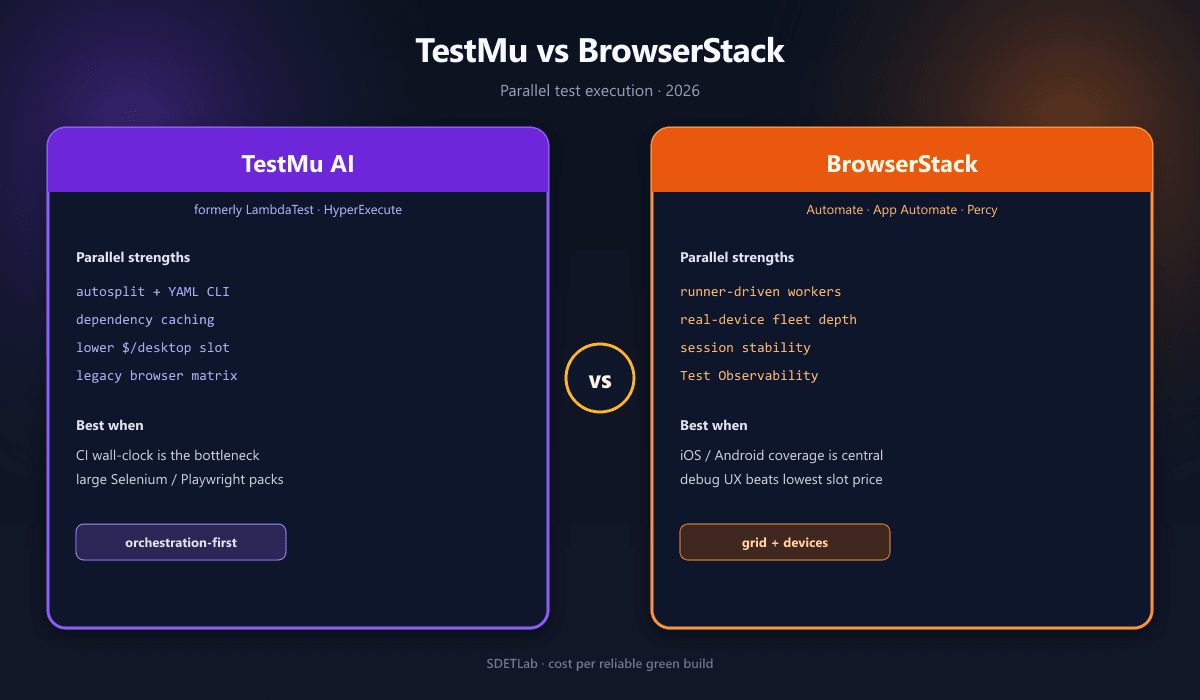
For parallel testing, TestMu AI (formerly LambdaTest) is generally stronger on cost-per-parallel-slot and orchestration speed, especially through HyperExecute, while BrowserStack is generally stronger on real-device breadth, session stability, and mature enterprise debugging. Both run the same core frameworks—Selenium, Playwright, Cypress, and Appium—so migration cost is usually modest. The operational models differ enough that the wrong default still burns CI minutes.
This article is the parallel-execution deep dive. For the wider three-vendor landscape (including Sauce Labs), see BrowserStack vs LambdaTest vs Sauce Labs: 2026. Pair it with Playwright vs Selenium vs Cypress, GitHub Actions + Playwright CI/CD, Fix Flaky Tests: 2026 Masterclass, and Modern Test Pyramid 2026.
A note on names, prices, and limits. LambdaTest rebranded to TestMu AI on 12 January 2026. Accounts, access keys,
LT:Options, and hub/CDP hostnames such ashub.lambdatest.comandcdp.lambdatest.comcontinue to work. Plan names, parallel slot counts, device inventories, and list prices change often. Treat dollar figures below as directional. Confirm current limits on TestMu pricing, HyperExecute, and BrowserStack Automate pricing.
The short answer
- Choose TestMu + HyperExecute when desktop-browser automation dominates, CI wall-clock time is the pain, and you want more parallel capacity per dollar.
- Choose BrowserStack when iOS/Android real devices, session stability, and artifact-first debugging outweigh the lowest slot price.
- For mixed web + mobile portfolios, benchmark both at your intended concurrency. Cost per reliable green build beats cost per parallel session.
What “parallel” means here
A parallel run executes multiple sessions at once instead of one after another. A suite of 200 tests averaging 12 seconds is 40 minutes sequentially. With five effective workers, ideal wall-clock time is eight minutes—if nothing queues and startup overhead stays small.
Both platforms meter capacity by parallel sessions: the maximum concurrent browser or device sessions on the account. Exceeding that limit queues work. During busy CI windows, queue wait can erase most of the theoretical speedup.
Parallelism is also a test-design problem. Shared users, database rows, cookies, feature flags, or rate-limited APIs often pass serially and fail in parallel. Neither vendor fixes isolation; both make the bugs visible. See Fix Flaky Tests before you buy more slots.
Execution models: who owns concurrency?
The important distinction is not “how many parallels can I buy,” but where parallelism is controlled.
| Aspect | BrowserStack | TestMu AI |
|---|---|---|
| Core parallel model | Cloud Selenium/Appium/Playwright grid; concurrency is driven by the test runner (Playwright workers, pytest-xdist, TestNG, WebdriverIO) | Standard cloud grid plus HyperExecute—an orchestration layer that takes a YAML manifest and distributes tests |
| Orchestration | Runner-centric; Automate allocates sessions on demand | HyperExecute can shard tests, cache dependencies, run matrices, auto-split, and stream artifacts |
| Best fit | Predictable grid behavior with minimal runner changes | CI wall-clock is the bottleneck and the team will adopt an extra YAML/CLI workflow |
| Device emphasis | Larger real-device fleet (App Automate), especially iOS/Android | Broad browser/OS matrix and a growing Real Device Cloud; typically a smaller device fleet |
BrowserStack keeps the runner in control. Configure Playwright with 20 workers and Automate attempts to supply 20 concurrent sessions. That is simple and easy to reason about. It does not, by itself, optimize test ordering, dependency reuse, or suite partitioning.
HyperExecute changes the unit of work. You submit a manifest (project, command, framework, OS, concurrency). The platform provisions just-in-time VMs, discovers tests, splits them, and streams logs. That can cut runtime on large suites, at the cost of a configuration surface to maintain.
Framework support and migration cost
Both vendors support Selenium, Playwright, Cypress, and Appium in the cloud. Switching vendors is usually a capability and endpoint change, not a rewrite.
Typical Selenium/Playwright migration checklist:
- Remote hub or Playwright WebSocket endpoint
- Username and access key
- Cloud-specific capability namespace (
bstack:optionsvsLT:Options) - Local-testing tunnel binary and tunnel name
- Artifact / reporting integration
- Timeouts (cloud latency and region differ)
Private-environment testing always needs a tunnel inside your network: BrowserStack Local or TestMu Tunnel. Name tunnels per PR so concurrent pipelines do not collide.
Playwright on BrowserStack
Automate Playwright uses wss://cdp.browserstack.com/playwright. Pin Playwright versions; mismatches are a common silent connect failure.
// playwright.config.ts — BrowserStack
import { defineConfig } from "@playwright/test";

const bstackCaps = {
  browser: "chrome",
  browser_version: "latest",
  os: "OS X",
  os_version: "Sonoma",
  name: process.env.TEST_NAME ?? "checkout-suite",
  build: process.env.GITHUB_RUN_ID ?? `local-${Date.now()}`,
  "browserstack.username": process.env.BROWSERSTACK_USERNAME!,
  "browserstack.accessKey": process.env.BROWSERSTACK_ACCESS_KEY!,
  "browserstack.local": "true",
  "browserstack.playwrightVersion": "1.x.latest",
  "client.playwrightVersion": "1.x.latest",
};

export default defineConfig({
  fullyParallel: true,
  retries: process.env.CI ? 1 : 0,
  workers: 10,
  use: {
    connectOptions: {
      wsEndpoint:
        `wss://cdp.browserstack.com/playwright?caps=` +
        encodeURIComponent(JSON.stringify(bstackCaps)),
    },
    trace: "retain-on-failure",
    video: "retain-on-failure",
  },
});
Set build from GITHUB_RUN_ID so sessions group in Test Observability.
Playwright on TestMu
Playwright on TestMu uses the same CDP connect pattern. Official docs still publish wss://cdp.lambdatest.com/playwright.
const ltCapabilities = {
  browserName: "Chrome",
  browserVersion: "latest",
  "LT:Options": {
    platform: "Windows 11",
    build: process.env.BUILD_ID ?? "playwright-build",
    name: "checkout-suite",
    user: process.env.LT_USERNAME!,
    accessKey: process.env.LT_ACCESS_KEY!,
    network: true,
    video: true,
    console: true,
    tunnel: true,
    tunnelName: process.env.LT_TUNNEL_NAME,
  },
};

export default defineConfig({
  fullyParallel: true,
  workers: 10,
  use: {
    connectOptions: {
      wsEndpoint:
        `wss://cdp.lambdatest.com/playwright?capabilities=` +
        encodeURIComponent(JSON.stringify(ltCapabilities)),
    },
    trace: "retain-on-failure",
  },
});
Selenium W3C capabilities
Selenium 4 is a RemoteWebDriver against the vendor hub, with vendor options in a W3C extension namespace.
BrowserStack (bstack:options) — Selenium docs:
ChromeOptions options = new ChromeOptions();
options.setBrowserVersion("latest");

Map<String, Object> bstackOptions = new HashMap<>();
bstackOptions.put("os", "Windows");
bstackOptions.put("osVersion", "11");
bstackOptions.put("buildName", System.getenv("BUILD_NAME"));
bstackOptions.put("sessionName", "checkout/login");
bstackOptions.put("local", "true");
options.setCapability("bstack:options", bstackOptions);

WebDriver driver = new RemoteWebDriver(
    new URL("https://" + user + ":" + key + "@hub.browserstack.com/wd/hub"),
    options);
TestMu (LT:Options) — capabilities generator:
ChromeOptions options = new ChromeOptions();
options.setBrowserVersion("latest");

Map<String, Object> ltOptions = new HashMap<>();
ltOptions.put("platformName", "Windows 11");
ltOptions.put("build", System.getenv("BUILD_NAME"));
ltOptions.put("name", "checkout/login");
ltOptions.put("w3c", true);
ltOptions.put("tunnel", true);
options.setCapability("LT:Options", ltOptions);

WebDriver driver = new RemoteWebDriver(
    new URL("https://" + user + ":" + key + "@hub.lambdatest.com/wd/hub"),
    options);
Keep vendor-specific keys behind a factory so a later switch is a config flag, not a refactor.
Parallel throughput and speed
On a standard cloud grid, both vendors scale to high concurrency. The practical ceiling is purchased parallels, session stability, and how cleanly the suite shards.
TestMu’s clearest advantage is HyperExecute for large suites. It is built to distribute work more aggressively than a hub-and-node grid: smart/auto-split, dependency caching, matrix and hybrid modes, fail-fast, retries, and live artifact streaming. Vendor materials claim up to ~70% faster than a conventional cloud grid for well-shaped suites; independent comparisons typically say the gap matters more above a few hundred tests and is small for tiny packs.
BrowserStack’s advantage is predictability. The grid is widely used in enterprise CI, session behavior is consistent, and debugging artifacts are polished. Parallel speed is not only startup throughput. A platform that avoids disconnects, reduces infrastructure flake, and makes failures inspectable can deliver faster effective feedback even with a simpler execution model.
A useful frame:
- Small suite (under a few hundred tests): platforms are often close; pick on devices, price, and existing integrations.
- Large Selenium/Playwright/Cypress suite where CI time hurts: HyperExecute is the more differentiated option.
- Large mobile or mixed web/mobile portfolio: BrowserStack’s device depth and App Automate stack are compelling.
- High-volume desktop-browser regression: TestMu often delivers more parallel capacity per dollar.
HyperExecute YAML
A representative Playwright job (HyperExecute YAML):
# .hyperexecute.yaml
version: "0.2"
runson: linux
autosplit: true
concurrency: 20
retryOnFailure: true
maxRetries: 1
testRunnerCommand: npx playwright test --shard $shard
testDiscoverer: |
  npx playwright test --list --reporter=json |
    jq -r '.suites[].specs[].title'
env:
  CI: "true"
  PW_TEST_HTML_REPORT_OPEN: never
cacheKey: "{{ checksum 'package-lock.json' }}"
cacheDirectories:
  - node_modules
  - ~/.cache/ms-playwright
pre:
  - npm ci
  - npx playwright install --with-deps
post:
  - npx playwright merge-reports --reporter=html ./blob-report
The CI job typically uploads or references the project, invokes the HyperExecute CLI, and receives a consolidated result. That is powerful for monorepos and large regression packs. It also means logs, retries, grouping, and failure diagnostics may not look like a local Playwright run.
CI/CD at scale
In GitHub Actions, GitLab CI, Jenkins, Azure DevOps, or CircleCI, both platforms attach to the same pipeline stage. The difference appears at volume:
- BrowserStack: the job starts the runner; the runner opens N remote sessions; BrowserStack reports each session.
- TestMu standard grid: broadly the same pattern.
- TestMu HyperExecute: the job calls the CLI; the platform distributes work.
A runner-driven GitHub Actions shard (works for BrowserStack or TestMu’s standard grid):
jobs:
  e2e:
    strategy:
      fail-fast: false
      matrix:
        shard: [1/8, 2/8, 3/8, 4/8, 5/8, 6/8, 7/8, 8/8]
    runs-on: ubuntu-latest
    env:
      BUILD_ID: ${{ github.run_id }}-${{ github.run_attempt }}
    steps:
      - uses: actions/checkout@v4
      - uses: actions/setup-node@v4
        with: { node-version: 20 }
      - run: npm ci
      - run: npx playwright install --with-deps
      - run: npx playwright test --shard=${{ matrix.shard }}
        env:
          BROWSERSTACK_USERNAME: ${{ secrets.BROWSERSTACK_USERNAME }}
          BROWSERSTACK_ACCESS_KEY: ${{ secrets.BROWSERSTACK_ACCESS_KEY }}
Eight shards with fail-fast: false is a common Playwright sweet spot: enough specs to hide connect cost, still failing fast inside each shard. For pipeline structure, see GitHub Actions + Playwright CI/CD.
Architecture example: 1,000 Playwright tests
Assume 1,000 tests averaging 10 seconds: sequential runtime ≈ 167 minutes (2 hours 47 minutes).
| Concurrency | Ideal runtime | Main risk |
|---|---|---|
| 1 worker | 167 minutes | Slow feedback |
| 10 workers | ~17 minutes | Fixture contention, shared-state bugs |
| 25 workers | ~7 minutes | Test-data collisions, API rate limits |
| 50 workers | ~3.5 minutes | Queueing, env bottlenecks, flake amplification |
Both vendors can theoretically supply these levels. BrowserStack mostly relies on your Playwright workers (or CI shards). HyperExecute can take a more active role in splitting and scheduling.
Ideal times ignore session startup, tunnel handshake, queue wait, and retries. Measure p50/p95 time-to-first-action, not just worker count.
Real devices and browser coverage
BrowserStack has the stronger reputation for real-device coverage. Comparisons commonly place its fleet in the tens of thousands, with particularly strong iOS and Android depth. TestMu’s library is smaller though expanding (the company markets 50,000+ devices as of the TestMu rebrand materials—verify against your required SKUs, not the headline).
For parallel mobile testing, fleet size is not marketing. It affects:
- Queue depth for popular device/OS combinations
- Ability to hit older iOS or Android versions
- Consistency of native Appium / Espresso / XCUITest runs
- Coverage of fragmented Android OEM devices
A larger fleet can reduce queueing even when list price per real-device parallel is similar. One 2026 list-price snapshot put both vendors around $199 per parallel per month for real-device automation at the published self-serve tier—price then stops being the differentiator; availability and App Automate maturity do.
For desktop browsers, the gap narrows. Both offer large browser/OS matrices. TestMu emphasizes older browser versions that some enterprise teams still require.
Pricing and cost per parallel slot
Parallel capacity is the dominant cost driver. Published self-serve lists in 2026 typically show TestMu cheaper per desktop parallel. Always re-check the live pages.
| Workload | BrowserStack (directional) | TestMu (directional) | Practical implication |
|---|---|---|---|
| Desktop web automation, annual list | About $99/parallel/month (Automate desktop) | About $79/parallel/month | TestMu ~20% cheaper before enterprise discounts |
| Linux-only desktop | Automate Linux-oriented options have been listed near $59/parallel/month | About $29/parallel/month on some Linux-only SKUs | Large Linux-only Selenium/Playwright fleets can see a large gap |
| Real-device automation | About $199/parallel/month | About $199/parallel/month | Price comparable; fleet and queues decide |
| HyperExecute | No direct equivalent | Sold separately; HyperExecute marketing lists about $103/parallel/month Linux or $159 multi-OS, billed annually | Extra line item; can lower total cost if it cuts CI time and required grid concurrency |
At a 10-parallel desktop plan, that snapshot is $990/month BrowserStack vs $790/month TestMu at list. Enterprise MSAs differ. Do not treat these as procurement numbers.
The economic model should include more than sticker price:
monthly_cost ≈
  (parallel_slots × slot_price)
  + (real_device_minutes × device_rate)
  + (visual_snapshots × snapshot_rate)   # Percy vs SmartUI
  + enterprise_add_ons

cost_per_green_build = monthly_cost / successful_CI_runs
Also count:
- Required slots — better orchestration can reduce how many you buy
- CI minutes — shorter runs cut hosted-runner cost
- Engineering time — fewer disconnects and better artifacts reduce triage
- Device coverage — a missing device forces manual QA or a second vendor
- Queueing — a cheap plan with too little concurrency slows releases more than a higher-priced plan with enough slots
Debugging, reporting, and flakiness
When 30 tests fail at once, engineers need to separate product bugs, isolation issues, environment drift, and cloud noise.
BrowserStack is often favored for mature observability: video, screenshots, console and network logs, and Test Observability clustering (always failing vs new vs flaky). Percy sits in the same ecosystem if visual coverage is part of the parallel story—see Mabl vs Applitools vs Testim for visual-AI positioning.
TestMu provides session artifacts, AI-assisted triage via KaneAI / Test Manager, SmartUI, and HyperExecute-side streaming. Some user reports in public comparisons mention less predictable device sessions or disconnects on long runs. That is a POC item, not a disqualifier.
For parallel testing specifically, measure:
- Session startup time (p50 / p95)
- Command latency
- Session disconnect rate
- Queue wait at your target concurrency
- Artifact completeness on failed tests
- Whether retries hide product defects
- Whether fixtures and test data are isolated
Retries without isolation just hide races. Treat self-healing locators the same way: log every heal and review it.
When to choose TestMu
Choose TestMu if most of these apply:
- Desktop-browser automation is the dominant workload
- Cost per parallel session is a primary constraint
- The suite is large enough that orchestration, caching, and smart distribution can cut CI time
- You already run Selenium, Playwright, or Cypress and can adopt HyperExecute’s YAML/CLI
- You need a wide browser/OS matrix, including legacy versions
It is especially attractive for startups and mid-size teams scaling automation on a budget: maximize throughput without a large device-lab bill.
When to choose BrowserStack
Choose BrowserStack if most of these apply:
- Real mobile devices—especially iOS—are central
- You need the broadest device fleet and strong legacy-device coverage
- The team values stable sessions and mature debugging
- You want a straightforward grid driven by the existing runner
- You already use or plan to use Percy or the wider BrowserStack stack
It is often the safer default for larger or regulated teams that prioritize coverage, reliability, and enterprise support over the lowest slot price.
Decision matrix
| Priority | Better default | Why |
|---|---|---|
| Lowest cost per desktop parallel | TestMu | Lower listed desktop automation pricing |
| Fastest large-suite orchestration | TestMu HyperExecute | Distribution, caching, splitting, artifact streaming |
| Broadest real-device coverage | BrowserStack | Larger / deeper iOS and Android fleet in most comparisons |
| Most predictable enterprise grid | BrowserStack | Mature infrastructure and debugging UX |
| Simplest runner-driven parallelism | BrowserStack | Concurrency stays close to Playwright / pytest / TestNG / WDIO |
| Mobile app testing at scale | BrowserStack | Device breadth + App Automate ecosystem |
| Legacy browser coverage | TestMu | Wide browser/OS matrix, including older versions |
| Mixed desktop + real device | Evaluate both | Real-device list prices can be similar; availability and workflow win |
If you also need private devices, SSO/SCIM-heavy governance, or Sauce Connect-class tunnels, include Sauce Labs using the three-vendor guide—this article does not replace that comparison.
Recommended evaluation plan
Do not decide from feature tables. Run a controlled POC with the same code, environment, credentials, data, and concurrency on both platforms.
- Select a representative slice: 10–20% of tests, including fast UI checks, slow end-to-end flows, mobile tests if relevant, and known flaky tests.
- Run at three concurrency levels: low, target, and 1.5× target.
- Measure p50 and p95 session startup, total pipeline duration, queue wait, failure rate, retry rate, and artifact availability.
- Test private-network access through BrowserStack Local and TestMu Tunnel, with per-PR tunnel names.
- Compare cost using your real concurrency requirement, not the advertised entry plan.
- Run for at least one sprint or release cycle so infrastructure variability shows up.
Scoring rubric:
| Dimension | What to measure |
|---|---|
| Time-to-first-green | From clone/npm ci to first passing remote run |
| Session startup | Seconds from connect / RemoteWebDriver to first action |
| Queue time | Slot wait at peak parallelism |
| Failure clarity | Time for a developer who did not write the test to diagnose a planted bug |
| Tunnel stability | Drops during a one-hour soak |
| Device fit | Coverage vs your production top-10 browsers/OS and devices |
| Cost at your shape | Modeled monthly cost and cost per green build |
The platform that wins your repo, CI, and suite is the right answer.
Conclusion
TestMu is the better default when parallel desktop testing, price efficiency, and large-suite execution speed are the main goals. HyperExecute can reduce wall-clock time for sizable Selenium, Playwright, and Cypress suites, and per-parallel pricing is often lower.
BrowserStack is the better default when device coverage, mobile testing, stability, and debugging maturity outweigh raw cost. Its real-device fleet and established grid remain compelling for iOS, Android, and complex cross-browser portfolios run in parallel.
For many engineering teams the right answer is empirical: benchmark both at intended concurrency, then choose the platform that minimizes cost per reliable green build, not merely cost per parallel session.