Karate Framework: API + UI Testing — A Complete Technical Guide
Karate is one of the few frameworks that puts API checks, UI flows, mocks, and light performance work in one place. Many teams still split REST clients, browser tools, and contract tests across different repos and report formats. Karate reduces that sprawl: you write Gherkin-style scenarios with Karate’s built-in steps, and you usually do not need Java glue code for each line.
If you already use Playwright, Selenium, or a Java API library like REST Assured, Karate is a different trade-off: one language for HTTP and browser, native JSON/XML matching, parallel runs, and HTML reports that include full request/response detail.
This guide covers how Karate works, project setup, environment config, API and UI examples, hybrid flows, mocking, parallel execution, reporting, CI/CD, and when to choose Karate vs code-first tools.
Version note. Examples target Karate 1.5.x (
io.karatelabs:karate-junit5). Check the latest patch on Maven Central: karate-junit5 before you lock versions. Karate v2 useskarate-junit6and Java 21+; see the migration guide if you upgrade later.
Prerequisites
- JDK 17 or 21 (LTS) for new projects; align with your org’s supported runtime.
- Maven or Gradle and basic comfort with
pom.xml. - HTTP basics: verbs, status codes, JSON, headers.
- Optional: Gherkin/Cucumber vocabulary (
Feature,Scenario,Given/When/Then)—Karate extends it with*steps for scripting. - For UI modules: Chrome (or another supported browser) on agents; for Playwright, follow Karate UI testing.
For where API and contract tests sit in a balanced portfolio, see Modern Test Pyramid 2026 and Contract Testing for Microservices.
What Karate is and why it is different
Karate is an open-source test stack built on Cucumber and the JVM. It ships its own Gherkin DSL for HTTP, JSON/XML assertions, files, databases, mocks, and browser automation (Selenium or Playwright).
The important idea: Karate treats Gherkin as a small programming language, not only a spec format. You can set variables, loop, branch, call other feature files, and build dynamic payloads without a Java step definition per line. That is usually shorter than classic Cucumber + Java glue.
Under the hood, features compile to executable tests with a lightweight runtime. You get parallel execution, HTML reports with HTTP traces, and runners for JUnit 5, Maven, and Gradle. Official docs: Karate documentation · GitHub.
Step 1 — Maven project and folder layout
Add Karate to pom.xml:
<dependencies>
  <dependency>
    <groupId>io.karatelabs</groupId>
    <artifactId>karate-junit5</artifactId>
    <version>1.5.1</version>
    <scope>test</scope>
  </dependency>
</dependencies>

<build>
  <plugins>
    <plugin>
      <groupId>org.apache.maven.plugins</groupId>
      <artifactId>maven-surefire-plugin</artifactId>
      <version>3.5.2</version>
    </plugin>
  </plugins>
</build>
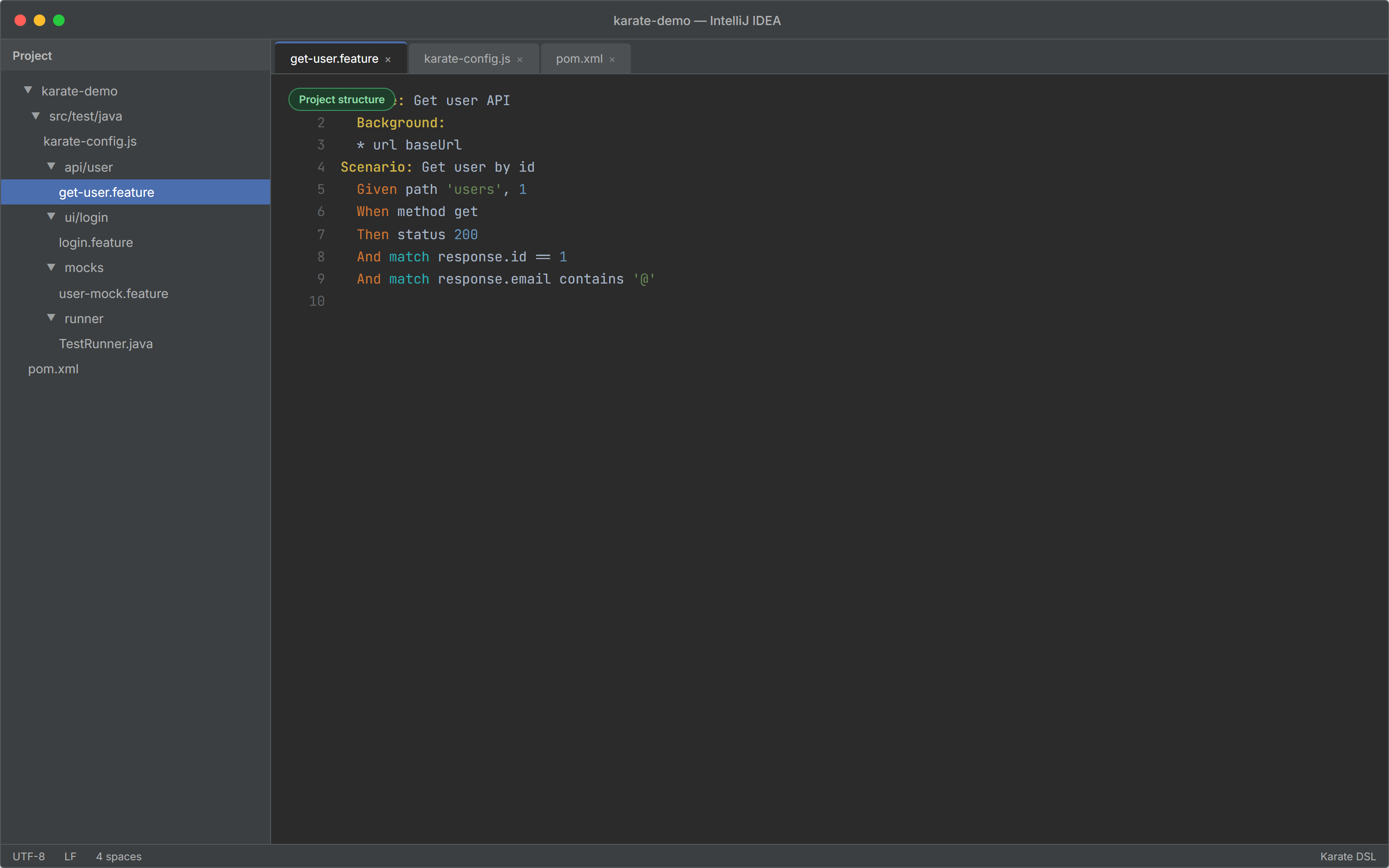
A layout that scales as the suite grows:
src/test/java
├── karate-config.js
├── api/
│   └── user/
│       └── get-user.feature
├── ui/
│   └── login/
│       └── login.feature
├── mocks/
│   └── user-mock.feature
└── runner/
    └── TestRunner.java
Keep API, UI, mocks, and runners separate so ownership stays clear when multiple squads contribute features.
The screenshot below shows a typical Karate Maven layout in IntelliJ IDEA—Project tool window plus get-user.feature open in the editor.
Step 2 — karate-config.js (environments)
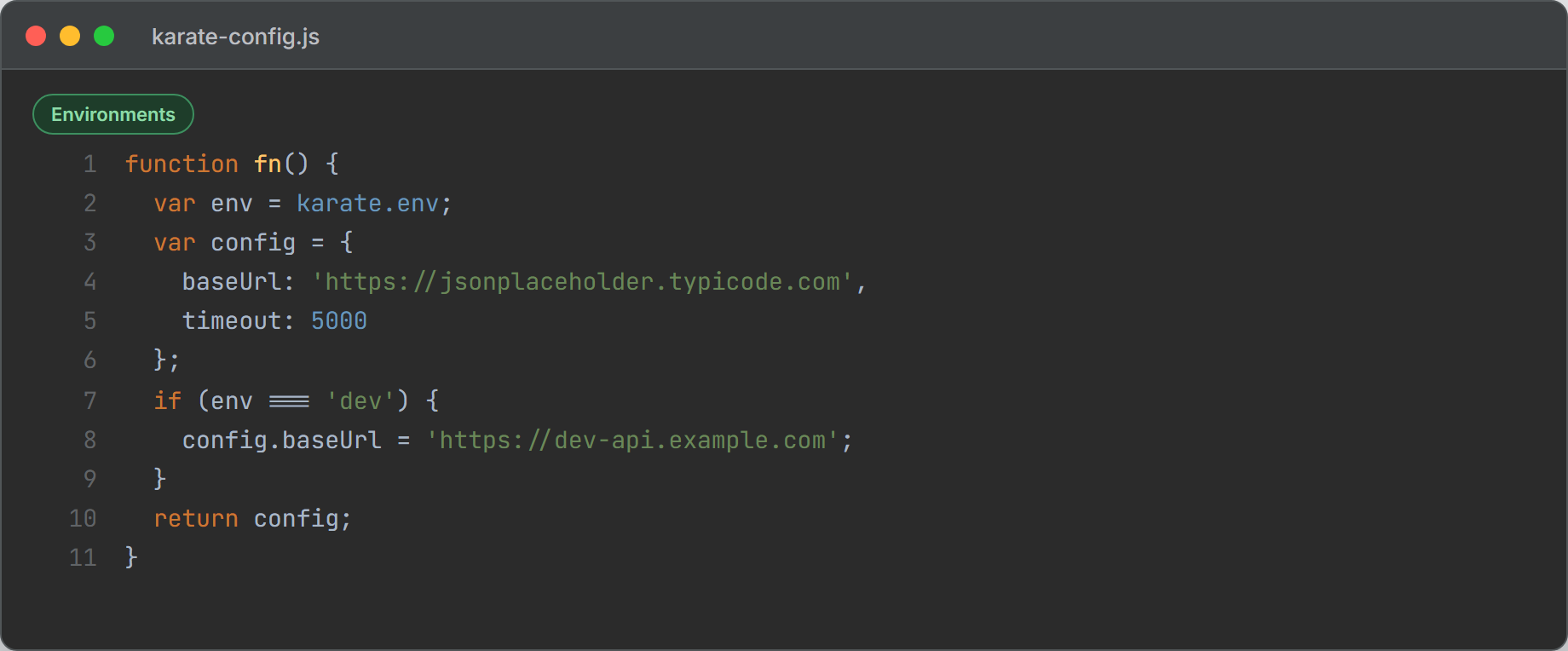
karate-config.js runs before each scenario. It is the standard place for base URLs, timeouts, auth, and driver defaults.
function fn() {
  var env = karate.env; // JVM flag: -Dkarate.env=dev
  karate.log('karate.env was:', env);

  var config = {
    env: env,
    baseUrl: 'https://jsonplaceholder.typicode.com',
    timeout: 5000,
  };

  if (env === 'dev') {
    config.baseUrl = 'https://dev-api.example.com';
  } else if (env === 'stage') {
    config.baseUrl = 'https://stage-api.example.com';
  } else if (env === 'ci') {
    config.baseUrl = 'https://ci-api.example.com';
  }

  return config;
}
Run against an environment:
mvn test -Dkarate.env=devIn CI, pass the same property from the pipeline so feature files never change when the target environment changes.
The screenshot below shows karate-config.js in IntelliJ IDEA, switching baseUrl by environment (dev, stage, ci).
Step 3 — JUnit 5 runner
Use a small Java class to run features from the IDE or Maven:
import com.intuit.karate.junit5.Karate;

class TestRunner {

  @Karate.Test
  Karate testApi() {
    return Karate.run("api").relativeTo(getClass());
  }

  @Karate.Test
  Karate testUi() {
    return Karate.run("ui").relativeTo(getClass());
  }
}
relativeTo(getClass()) resolves paths next to the runner package. See JUnit integration.
API testing in Karate
Karate’s strongest area is HTTP APIs: REST, GraphQL, SOAP/XML, and (with extensions) gRPC. You set url / path, call method, then match the response.
Basic GET
Feature: Get user API

  Background:
    * url baseUrl

  Scenario: Get user by id
    Given path 'users', 1
    When method get
    Then status 200
    And match response.id == 1
    And match response.name == '#string'
    And match response.email contains '@'
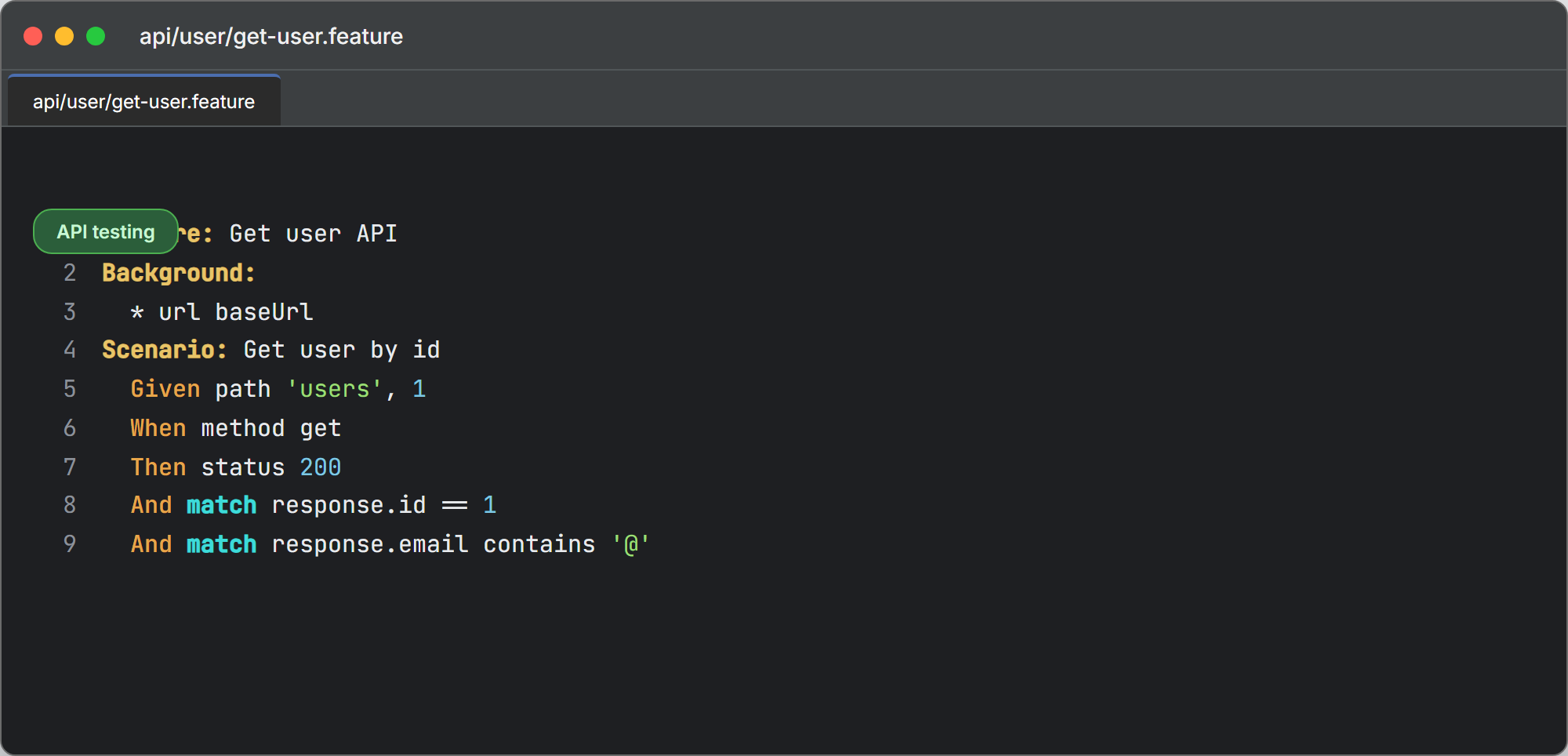
baseUrl comes from karate-config.js. Karate parses JSON responses automatically; match compares fields with readable failures in the HTML report.
The screenshot below shows api/user/get-user.feature in IntelliJ IDEA (Karate/Gherkin syntax): Background, Given path, When method get, and match on the response.
POST with JSON body
  Scenario: Create a new user
    Given path 'users'
    And request { name: 'Test User', email: 'test@example.com' }
    When method post
    Then status 201
    And match response.name == 'Test User'
    And match response.id == '#number'
request accepts a JavaScript object; Karate serializes it to JSON and sets Content-Type when appropriate.
Match operators (validation power)
Common patterns:
| Pattern | Meaning |
|---|---|
match response == expected | Deep equality |
match response contains partial | Subset / partial object |
match response.id == '#number' | Type check |
match response == '#[10]' | Array length |
match each response == { id: '#number', name: '#string' } | Every array element |
Example for a list endpoint:
  Scenario: Validate user list
    Given path 'users'
    When method get
    Then status 200
    And match response == '#[10]'
    And match each response == { id: '#number', name: '#string', email: '#string' }
match each is ideal for list APIs where every item must share the same shape.
GraphQL
  Scenario: GraphQL query
    Given url 'https://api.example.com'
    And path 'graphql'
    * def query =
      """
      query {
        user(id: 1) {
          id
          name
          email
        }
      }
      """
    And request { query: '#(query)' }
    When method post
    Then status 200
    And match response.data.user.name == '#string'
Adjust URL and payload to your gateway. Karate keeps the query in a multiline string so diffs stay readable.
SOAP / XML
  Scenario: SOAP request
    Given url 'https://api.example.com/soap'
    And request
      """
      <soap:Envelope xmlns:soap="http://schemas.xmlsoap.org/soap/envelope/">
        <soap:Body>
          <GetUser xmlns="http://example.com/">
            <userId>123</userId>
          </GetUser>
        </soap:Body>
      </soap:Envelope>
      """
    And header Content-Type = 'text/xml'
    When method post
    Then status 200
    And match response //userName == 'Test User'
XML paths and match work for legacy enterprise services where JSON-only tools struggle.
Reusable flows
Call another feature for login or shared setup:
  * def auth = call read('classpath:api/auth/get-token.feature')
  * header Authorization = 'Bearer ' + auth.accessToken
call and callonce / callSingle (from config) help avoid repeating token logic across parallel scenarios.
UI testing in Karate
Karate drives browsers through Selenium or Playwright modules. For greenfield UI work in 2026, many teams prefer Playwright for auto-waiting and tracing; Selenium remains common in older stacks.
Selenium dependency
<dependency>
  <groupId>io.karatelabs</groupId>
  <artifactId>karate-selenium</artifactId>
  <version>1.5.1</version>
  <scope>test</scope>
</dependency>
Optional driver defaults in karate-config.js:
  config.driver = {
    type: 'chrome',
    headless: true,
    showDriverLog: true,
  };
Basic UI scenario (Selenium)
Feature: Login UI

  Scenario: Login with valid credentials
    * configure driver = { type: 'chrome', headless: true }
    * driver 'https://example.com/login'
    * input('#email', 'user@example.com')
    * input('#password', 'password123')
    * click('#login-button')
    * match url contains '/dashboard'
    * match text('.welcome-message') contains 'Welcome'
Built-in steps include driver, input, click, waitFor, and match url / match text. For deep debugging of flaky UI, pair this with Playwright flaky test debugging in VS Code when you also maintain Playwright-native suites.
Playwright module
<dependency>
  <groupId>io.karatelabs</groupId>
  <artifactId>karate-playwright</artifactId>
  <version>1.5.2</version>
  <scope>test</scope>
</dependency> Scenario: Login with Playwright
* configure driver = { type: 'playwright', headless: true }
* driver 'https://example.com/login'
* fill('#email', 'user@example.com')
* fill('#password', 'password123')
* click('#login-button')
* assert url contains '/dashboard'Playwright inside Karate helps when you want one report for API setup and UI verification. For maximum browser control, a dedicated Playwright vs Selenium vs Cypress stack may still win.
Visual checks (Applitools)
Teams that need pixel-level regression can integrate Applitools from Karate UI scenarios. Treat visual tests as a separate tag (@visual) so they do not slow every PR—same hygiene as in any UI framework.
Combining API and UI in one scenario
Hybrid flows are a Karate strength: create data via API, then assert in the browser (faster and less flaky than UI-only setup).
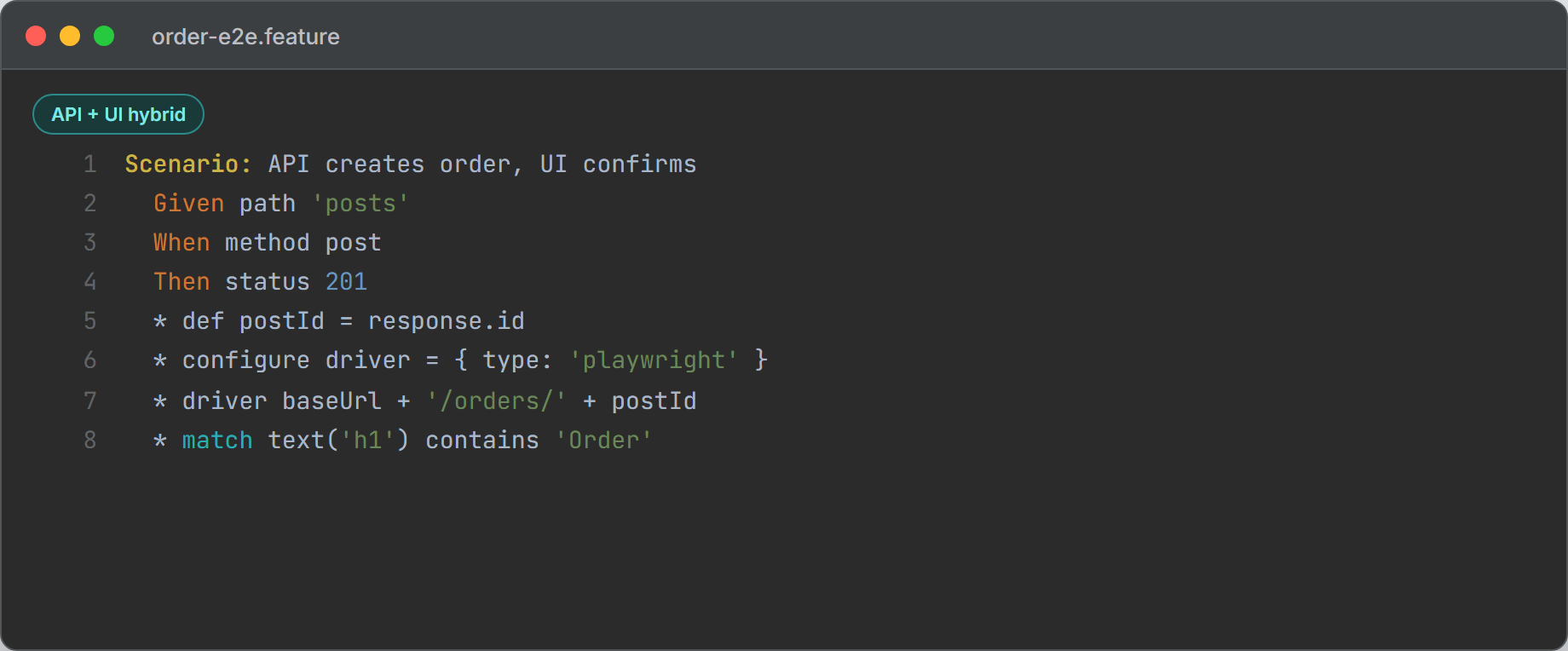
Feature: Order end-to-end

  Scenario: API creates order, UI shows confirmation
    * url baseUrl
    Given path 'posts'
    And request { title: 'Order test', body: 'qty 2', userId: 1 }
    When method post
    Then status 201
    * def postId = response.id

    * configure driver = { type: 'playwright', headless: true }
    * driver 'https://example.com/orders/' + postId
    * match text('h1') contains 'Order'
Replace URLs and selectors with your app. Keep scenarios independent if you run in parallel (unique data per run, no shared global state).
The screenshot below shows a hybrid scenario in IntelliJ IDEA: API post, then Playwright driver and UI match.
Mocking and contract-style checks
Built-in mock server
Use a mock feature when the real backend is down or owned by another team:
# mocks/user-mock.feature
Feature: Mock user service

  Scenario: GET user by id
    * def response = { id: 123, name: 'Test User', email: 'test@example.com' }
    * match request.method == 'GET'
    * match request.path == '/api/users/123'
Start mocks from Java when needed:
import com.intuit.karate.core.MockServer;

MockServer server = MockServer.feature("classpath:mocks/user-mock.feature").http(8080).build();
// run tests against http://localhost:8080
server.stop();
See Karate mocking for CORS, delays, and multiple scenarios.
Schema and contract thinking
match against expected JSON shapes catches many breaking changes. For consumer-driven contracts across many teams, still consider Pact + a broker (contract testing guide). Karate complements that layer with executable HTTP and UI checks, not a full broker workflow by itself.
Parallel execution
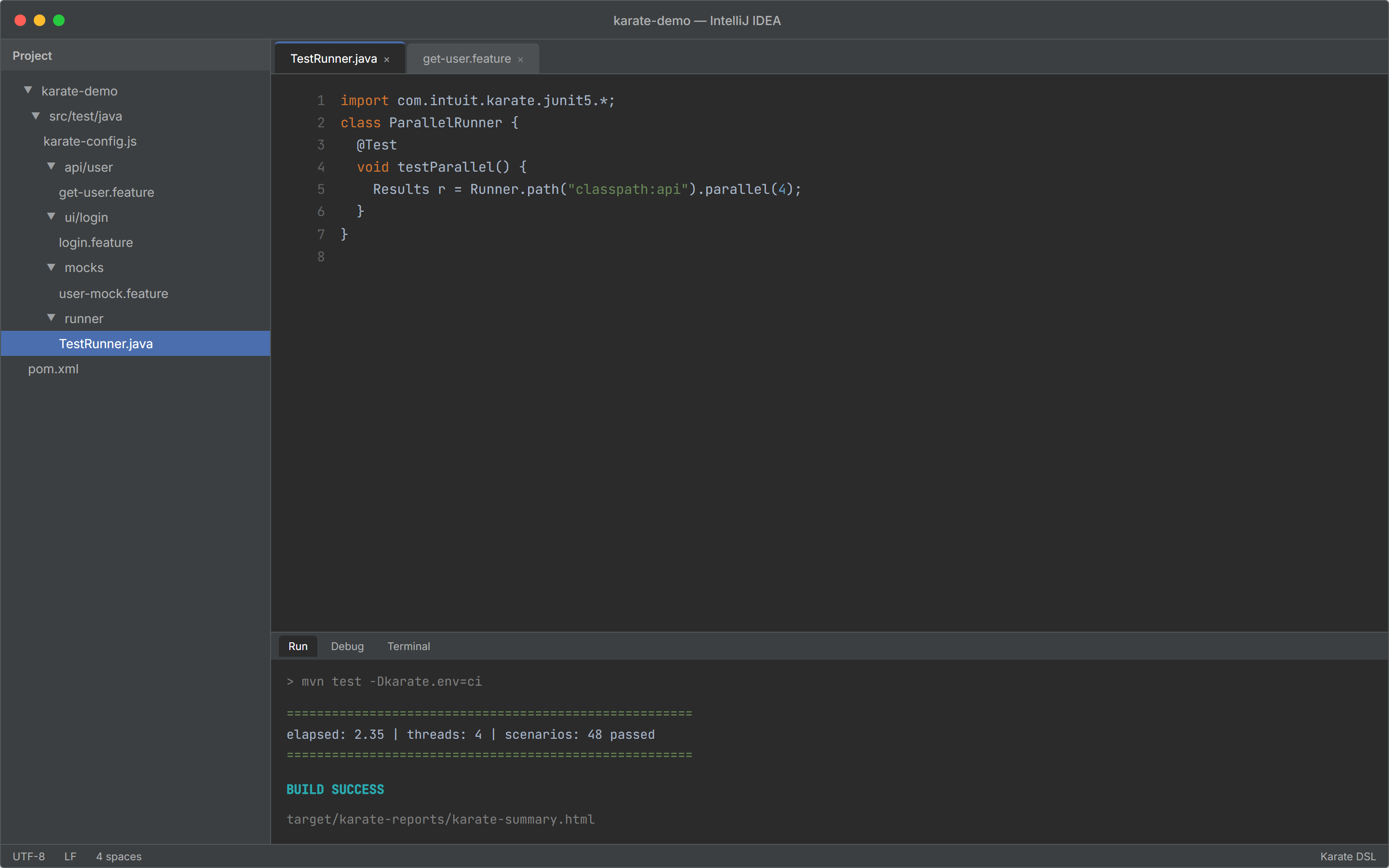
Karate can run features and scenarios in parallel without extra plugins. Use the Runner API in CI for throughput:
import com.intuit.karate.Results;
import com.intuit.karate.Runner;
import static org.junit.jupiter.api.Assertions.*;
import org.junit.jupiter.api.Test;

class ParallelRunner {

  @Test
  void testParallel() {
    Results results = Runner.path("classpath:api")
        .tags("~@ignore")
        .parallel(4);
    assertEquals(0, results.getFailCount(), results.getErrorMessages());
  }
}
Rules for parallel suites:
- Each scenario must pass alone (no order dependency).
- Do not share mutable state between scenarios.
- Use unique test data (
karate.uuid(), timestamps). - Tag slow or manual tests
@ignoreor~@slowin CI.
Details: Parallel execution. For heavy load testing, use Gatling or k6; Karate’s Gatling integration suits smoke load, not full capacity planning.
The screenshot below shows parallel execution in IntelliJ IDEA’s Run tool window after mvn test: thread count, pass/fail counts, and the report path.
Reporting and debugging
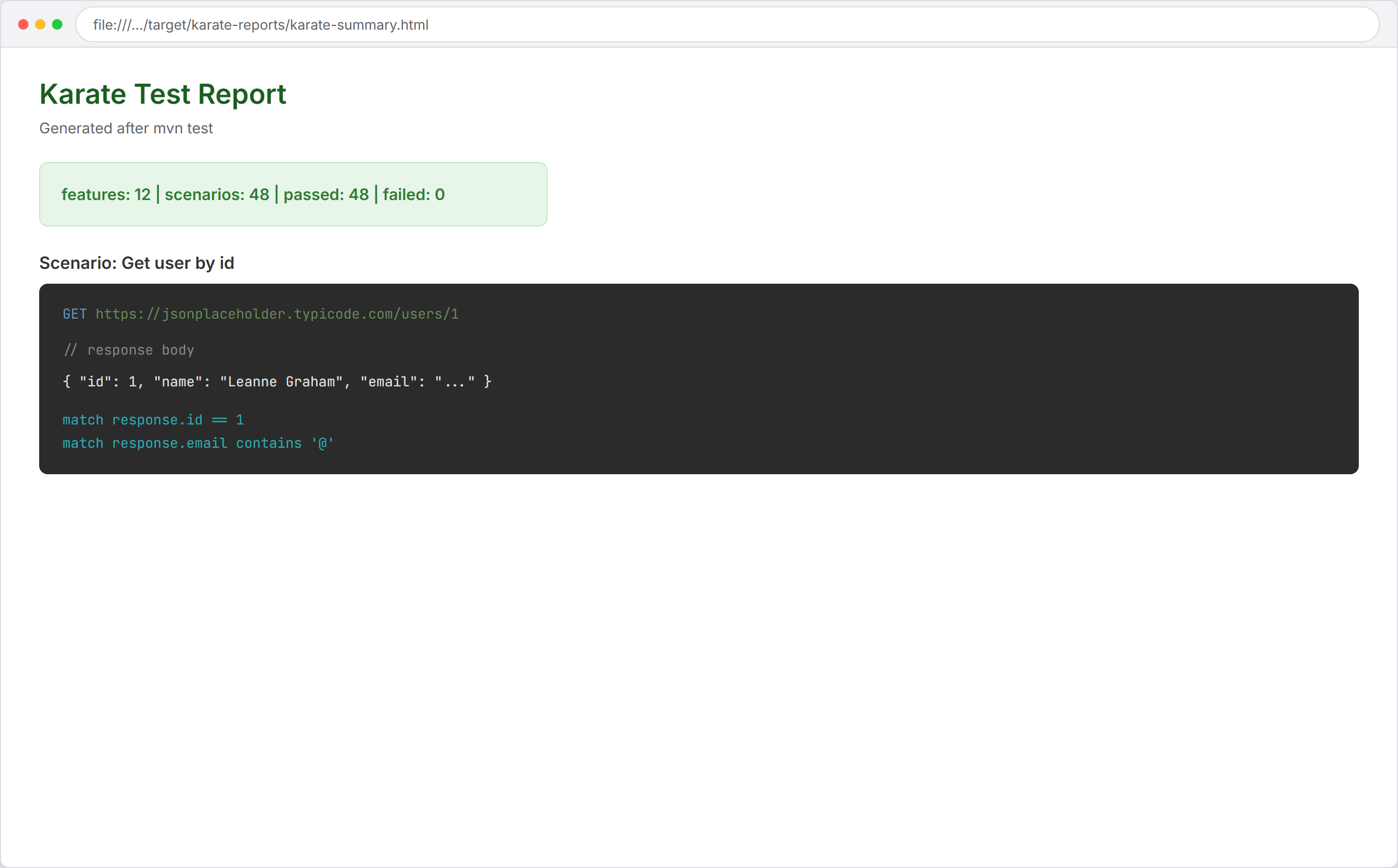
After mvn test, open:
target/karate-reports/karate-summary.htmlReports typically include:
- Per-scenario timing
- Full HTTP request/response (API tests)
matchdiffs (expected vs actual)- Screenshots on UI failure
- Active
karate.envand config snapshot
Enable extra logging in a scenario when needed:
* karate.log('response:', response)Compared with plain Cucumber reports, Karate’s HTML is stronger for API debugging because the wire traffic is inline. When failures are timing-related, apply the same discipline as in Fix Flaky Tests: 2026 Masterclass.
The screenshot below shows the Karate HTML summary report with scenario status plus inline HTTP request and match results.
CI/CD (GitHub Actions example)
name: Karate Tests
on: [push, pull_request]

jobs:
  test:
    runs-on: ubuntu-latest
    steps:
      - uses: actions/checkout@v4
      - uses: actions/setup-java@v4
        with:
          java-version: "17"
          distribution: "temurin"
      - run: mvn -B clean test -Dkarate.env=ci
      - uses: actions/upload-artifact@v4
        if: always()
        with:
          name: karate-reports
          path: target/karate-reports/
Upload reports on failure so reviewers see HTTP traces without re-running locally. Gate merges on results.getFailCount() == 0 from a parallel runner job for large suites.
Advantages and limitations
Advantages
- One DSL for API and UI in the same repo.
- Little or no Java glue for common HTTP and browser steps.
- Built-in parallel execution and rich HTML reports.
- Strong JSON/XML matching (
match,match each, type markers). - Mocks for front-end or integration isolation.
- Fits Maven/Gradle CI with familiar JUnit entry points.
Limitations
- Less flexible than pure Java/TypeScript for very complex logic (heavy algorithms belong in helpers or Java utilities).
- Smaller community than Selenium or Playwright alone.
- Gherkin learning curve for teams used to code-first tests.
- UI maturity trails dedicated Playwright projects for advanced networking, fixtures, and trace-first workflows.
Practical split: use Karate when readability and unified API+UI matter; use Playwright or REST Assured when maximum control in one language is the top priority.
Real-world use cases
Karate fits well when teams need:
- Microservice API regression across squads with one report format.
- Hybrid E2E (API seed + UI verify) without two frameworks.
- Service mocks for frontend or mobile when backends lag.
- Readable specs for governance or audit-friendly test assets.
- Fast parallel API suites on every pull request.
It is weaker as the only tool for large-scale performance engineering or highly customized browser automation.
Conclusion
Karate is a strong 2026 option when you want API and UI automation in one maintainable stack, with environment-aware config, parallel runs, and reports that show real HTTP traffic. It pairs well with contract testing and a clear test pyramid—not as a replacement for every specialized tool.
Takeaways
- Start with
karate-junit5,karate-config.js, and a folder split (api/,ui/,mocks/,runner/). - Write API tests with
url/path/method/match, not ad-hoc HTTP helpers. - Add
karate-playwrightorkarate-seleniumonly when UI coverage is in scope. - Run
Runner.path(...).parallel(n)in CI; keep scenarios isolated. - Combine Karate with Pact or schema governance when many services evolve independently.
Official hub: docs.karatelabs.io · Product overview: karatelabs.io.